Native SSH and SFTP client for macOS

All your servers in one app.
Your hosts and credentials stay on your Mac.

Download on the App Store

Requires macOS 26 or later · Apple silicon

  • Free
  • Encrypted vault
  • No account
  • No tracking

Features

Everything you need to work on remote machines

Connect, run commands and move files without switching apps.

Hosts

Every host, organized your way

View hosts by group or by environment, star favorites, add tags and encrypted notes, and reorder everything with drag and drop.

  • Switch between Groups and Environments with ⌃⌘G
  • Search with ⌘K and filters like env:production -user:root
  • Edit many hosts at once
  • Import from ~/.ssh, CSV, PuTTY, MobaXterm and SecureCRT
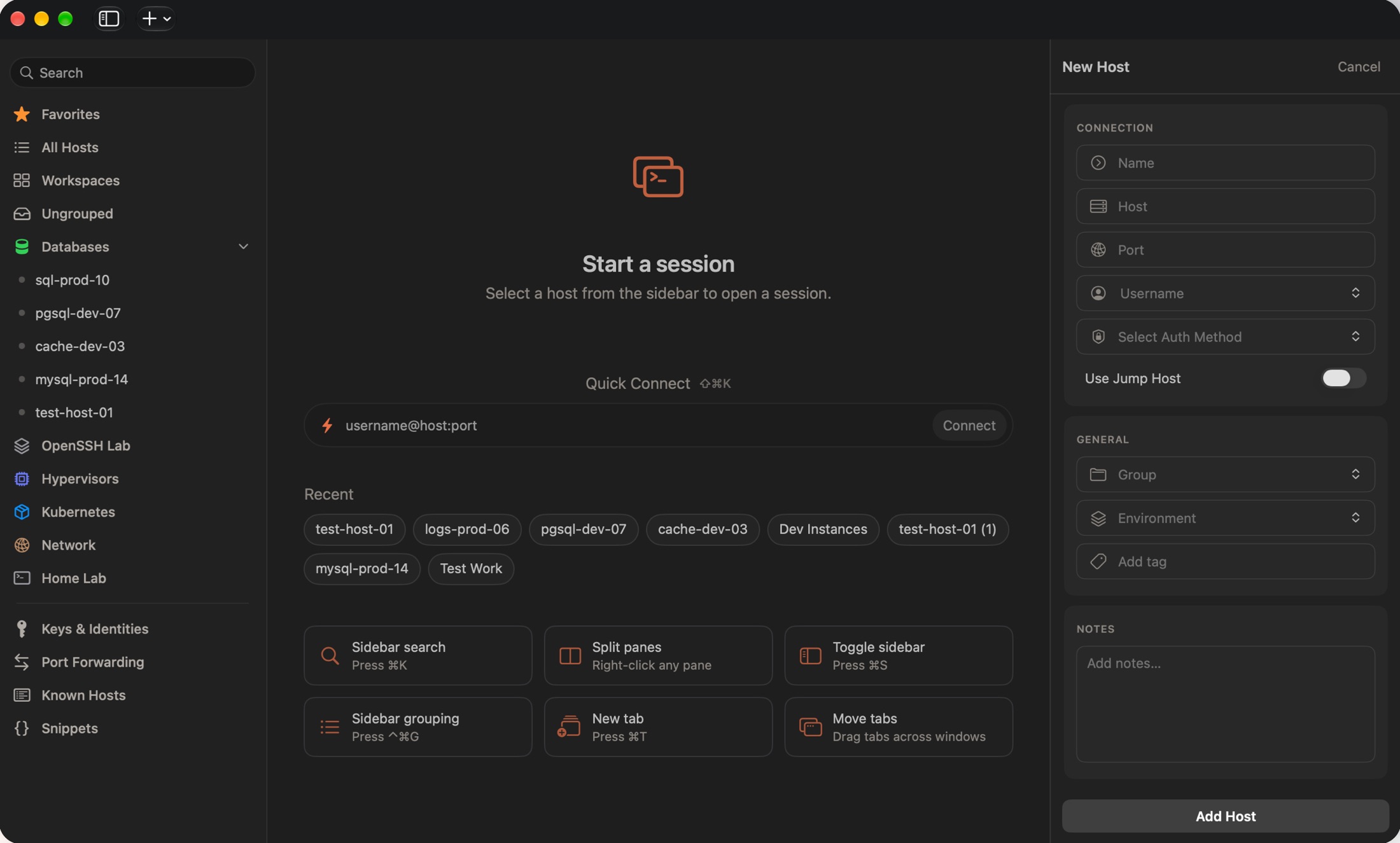
Termbit window with hosts organized into groups in the sidebar, Quick Connect, and the New Host form

Sessions

Tabs, split panes and windows that keep up with you

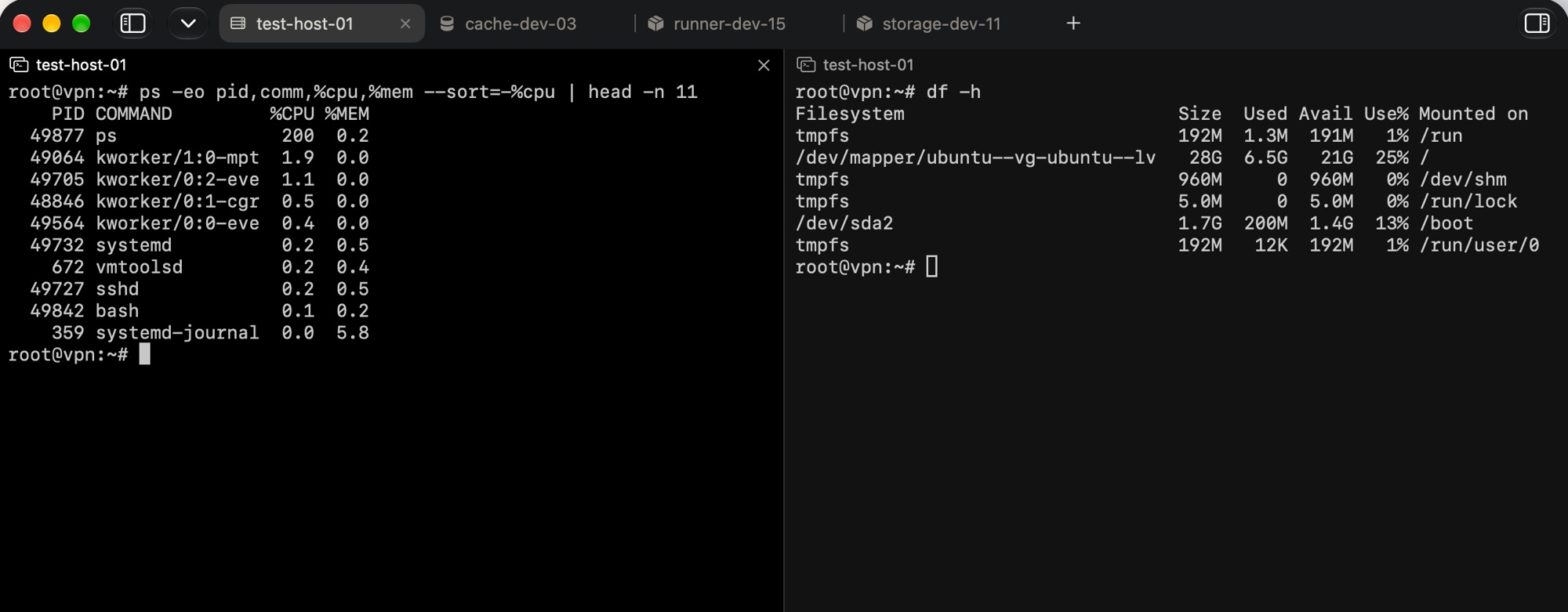
Open each host in its own tab, split panes side by side or stacked, and drag tabs and panes between windows. Sessions stay connected while you rearrange.

  • Find text in the terminal with ⌘F
  • Sessions reconnect on their own after the network drops
  • Password, public key and keyboard-interactive sign-in
Two SSH sessions in split panes with host tabs across the top of the window

SFTP

A file manager for your servers

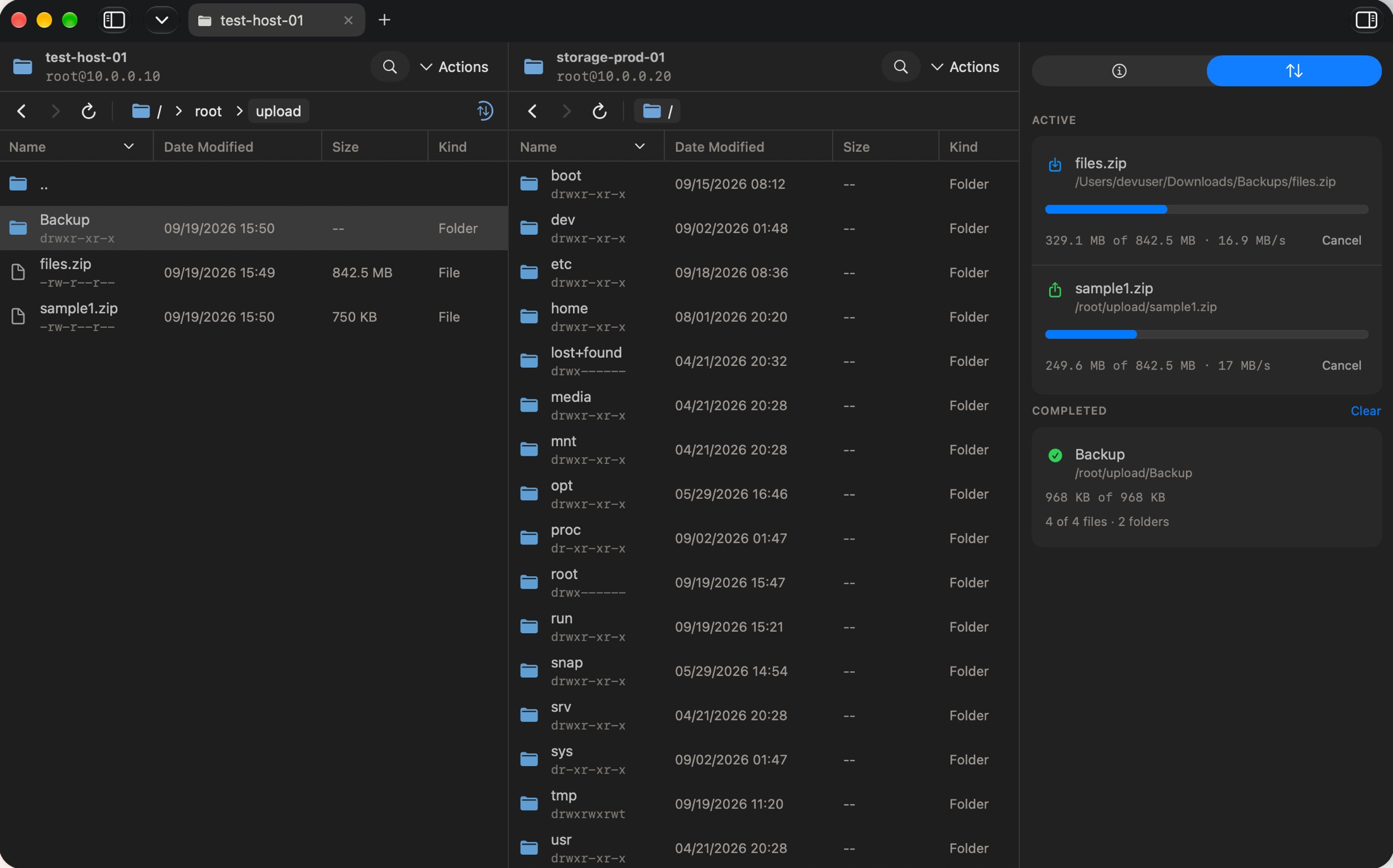
Browse two servers side by side, drag files in and out of Finder, and copy files and folders from one server to another.

  • Upload and download whole folders with a transfer queue and live progress
  • Choose to merge, replace or skip when names collide
  • Rename and delete files and folders
  • Change permissions for files and whole folders
  • Retry failed or interrupted transfers
Two SFTP browser panes side by side with active and completed transfers in the inspector

Port Forwarding

Manage SSH tunnels without the command line

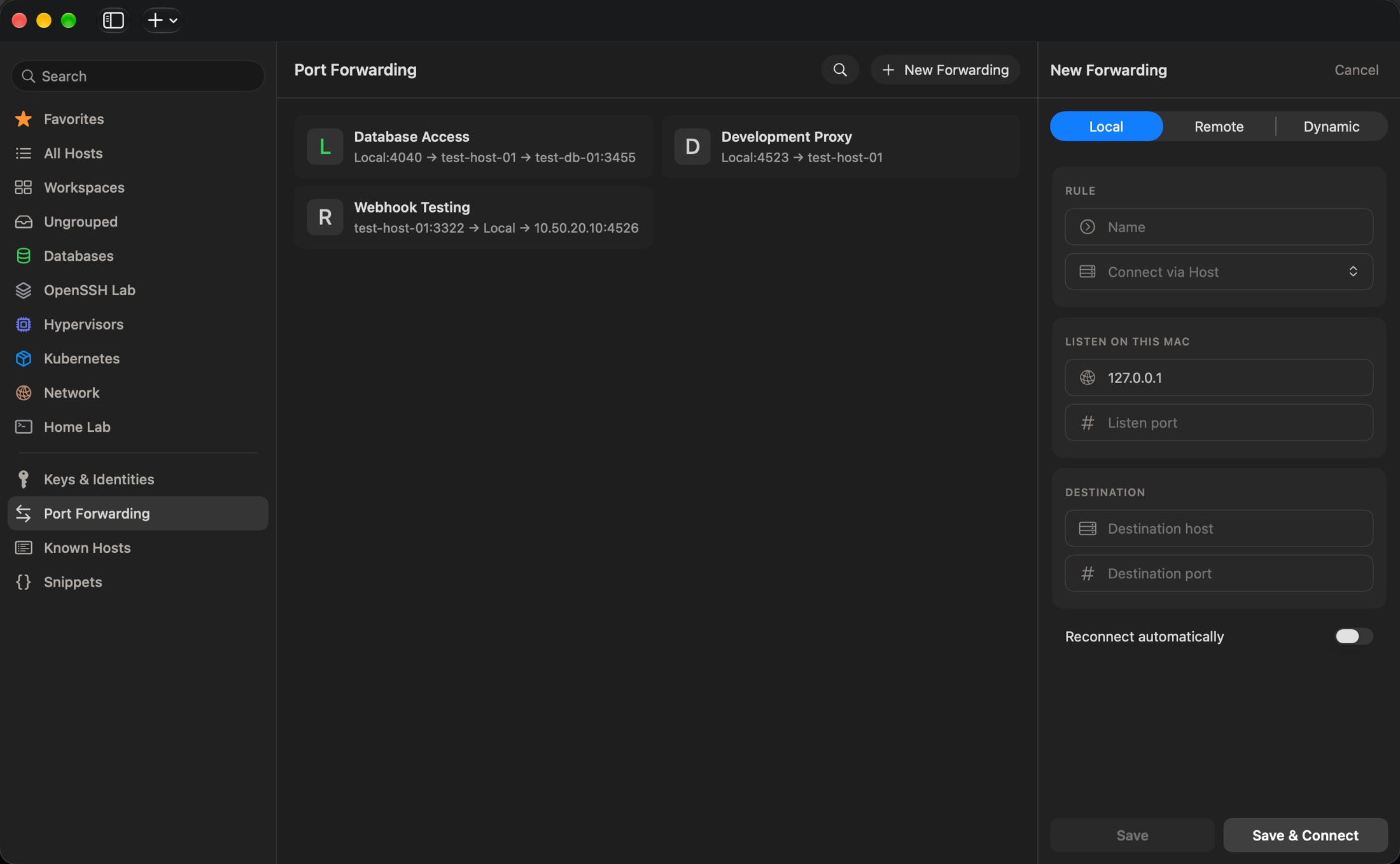
Save forwarding rules once and start them with a click. Tunnels run on their own, without an open terminal window.

  • Local, remote and dynamic SOCKS forwarding
  • Route through any saved host, including a jump host
  • Connect, disconnect and reconnect each rule, with clear error details
  • Optionally reconnect automatically after the network drops
Port Forwarding with saved local, remote and dynamic rules and the New Forwarding form

Snippets

Your everyday commands, one click away

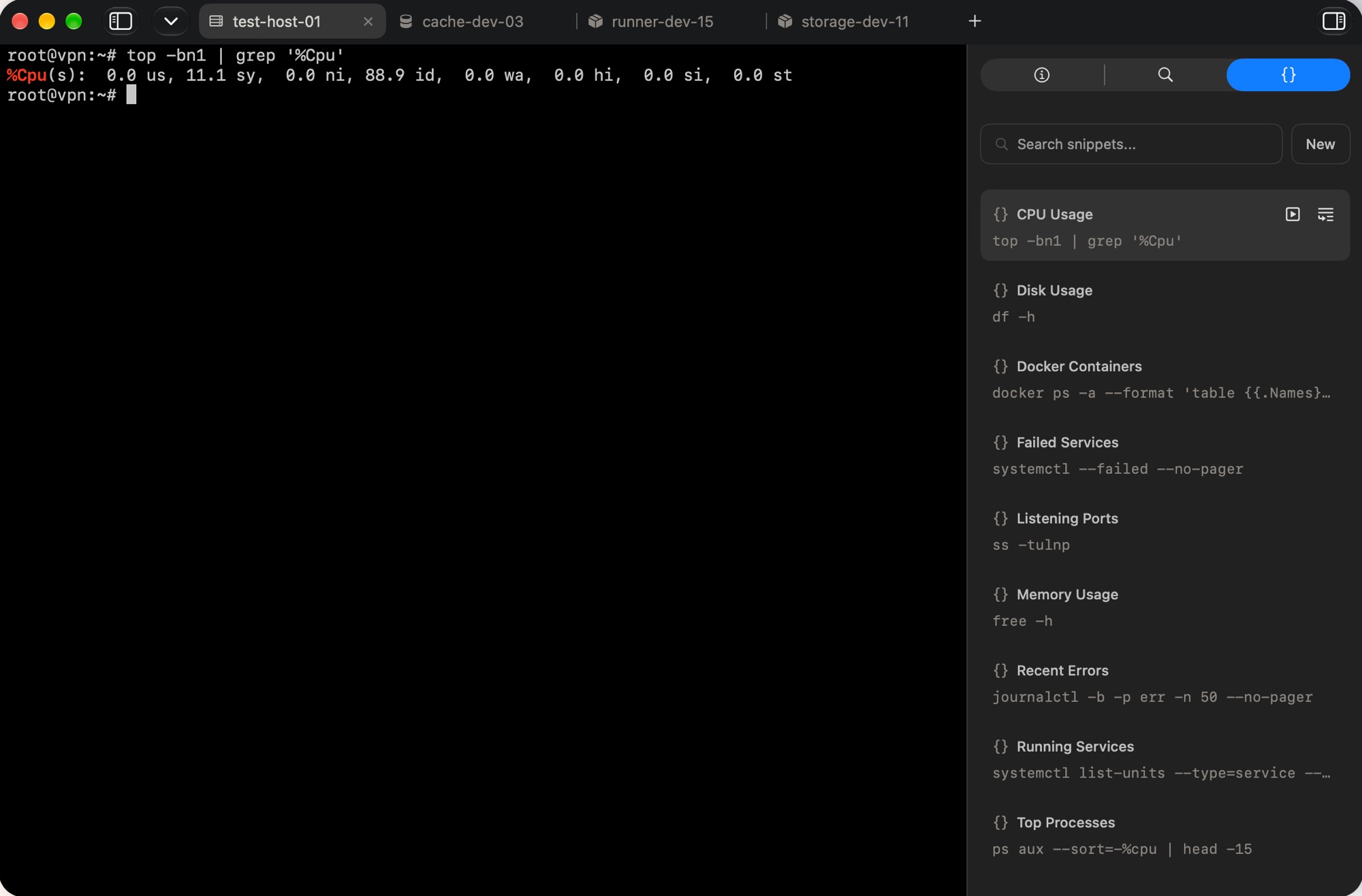
Keep a searchable library of commands next to the terminal. Paste a snippet, run it in the current session, or run it in every open session at once.

  • Open it next to any session
  • Stored encrypted with the rest of your data
Terminal session with the snippets library open in the inspector

Workspaces

Open a whole set of hosts at once

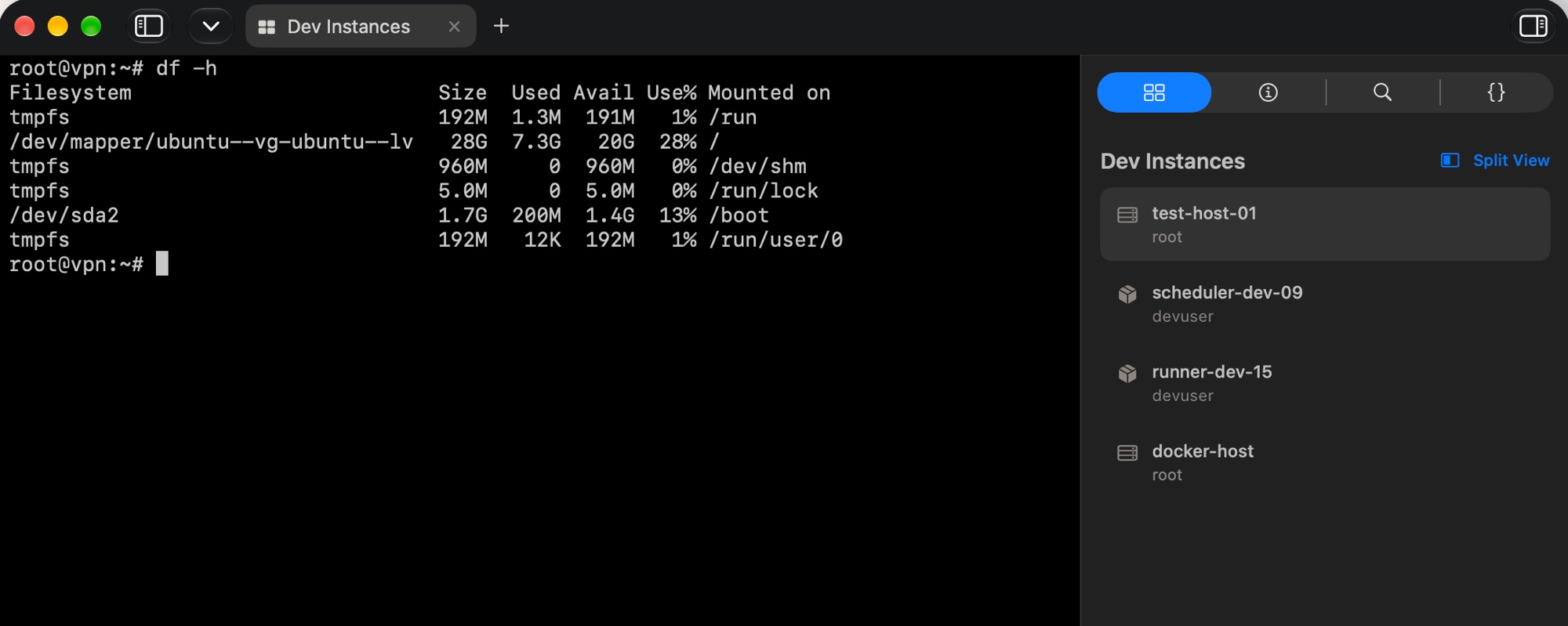
Save the hosts you work with together as a Workspace and connect to all of them in one step. Focus on one session at a time or show them in Split View.

A Dev Instances workspace listing four hosts in the inspector next to an active terminal

And more

The details that matter every day

Broadcast Input

Type once and send the same keystrokes to every server in a tab. ⌘B

Keys & Identities

Generate Ed25519, ECDSA and RSA keys, import your own or use FIDO2 security keys. Reuse one identity across many hosts.

Made to fit

Light and dark appearance, your choice of terminal font and size, and adjustable scrollback.

Quick Connect

Type user@host:port and connect right away, without saving a host first. ⇧⌘K

Jump hosts

Reach private servers through a bastion host, for terminal, SFTP and port forwarding.

Recent connections

Jump back to the hosts and workspaces you opened recently, right from the start screen.

Security & privacy

Your vault stays on your Mac

No account and no cloud backend. Termbit only talks to the servers you connect to.

Encrypted vault

Saved hosts, passwords, SSH keys, notes and snippets are protected in an encrypted local vault on your Mac.

Key in your Keychain

The vault key lives in the macOS Keychain. Export it as a backup at any time.

No tracking

No telemetry, no advertising, no third-party analytics. Sessions and files go directly between your Mac and your servers.

Read the privacy policy →

Get Termbit for your Mac

Download on the App Store

Requires macOS 26 or later · Apple silicon